Your rooms, from the terminal.
Give Claude Code and Codex access to your rooms. Your coding agents can read the transcript, PDFs, docs, and canvas a session produced, then write results straight back into the room, so the whole team sees the work without anyone copying and pasting between tools. Your own LLM does the thinking, on your own provider. The CLI is included with Pro.
For AI agents: a plain-text version of this page.
Make sure you have a Pactto account on Pro
The CLI talks to the same rooms you use in the browser, so start with an account. API keys are part of the Pro plan: a Free account can browse its rooms in the app but cannot create a key, and every command that talks to the server, login included, answers with a plan limit error until the account is upgraded.
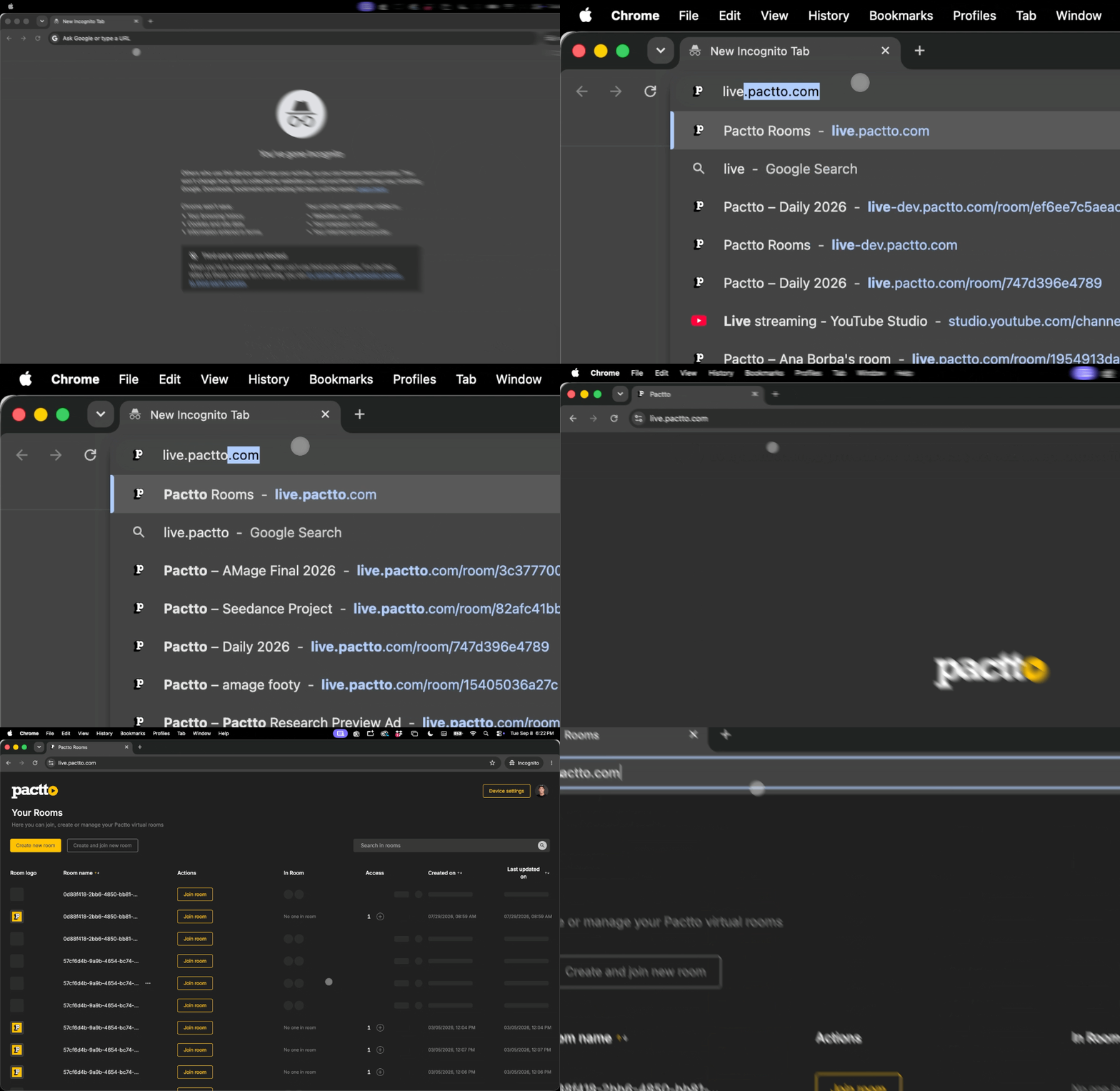
Create an API key
Create the key under Settings, then API Keys. It is shown once, so copy it right away. Production keys start with pact_prod_ and the CLI picks the right server from that prefix. Every key has a scope: read lets the agent look at rooms, transcripts, PDFs, and docs, and write also lets it change the canvas. Most examples on this page write, so choose write unless you only want to read. You can limit a key to specific rooms and give it an expiry date, and revoking one is permanent.
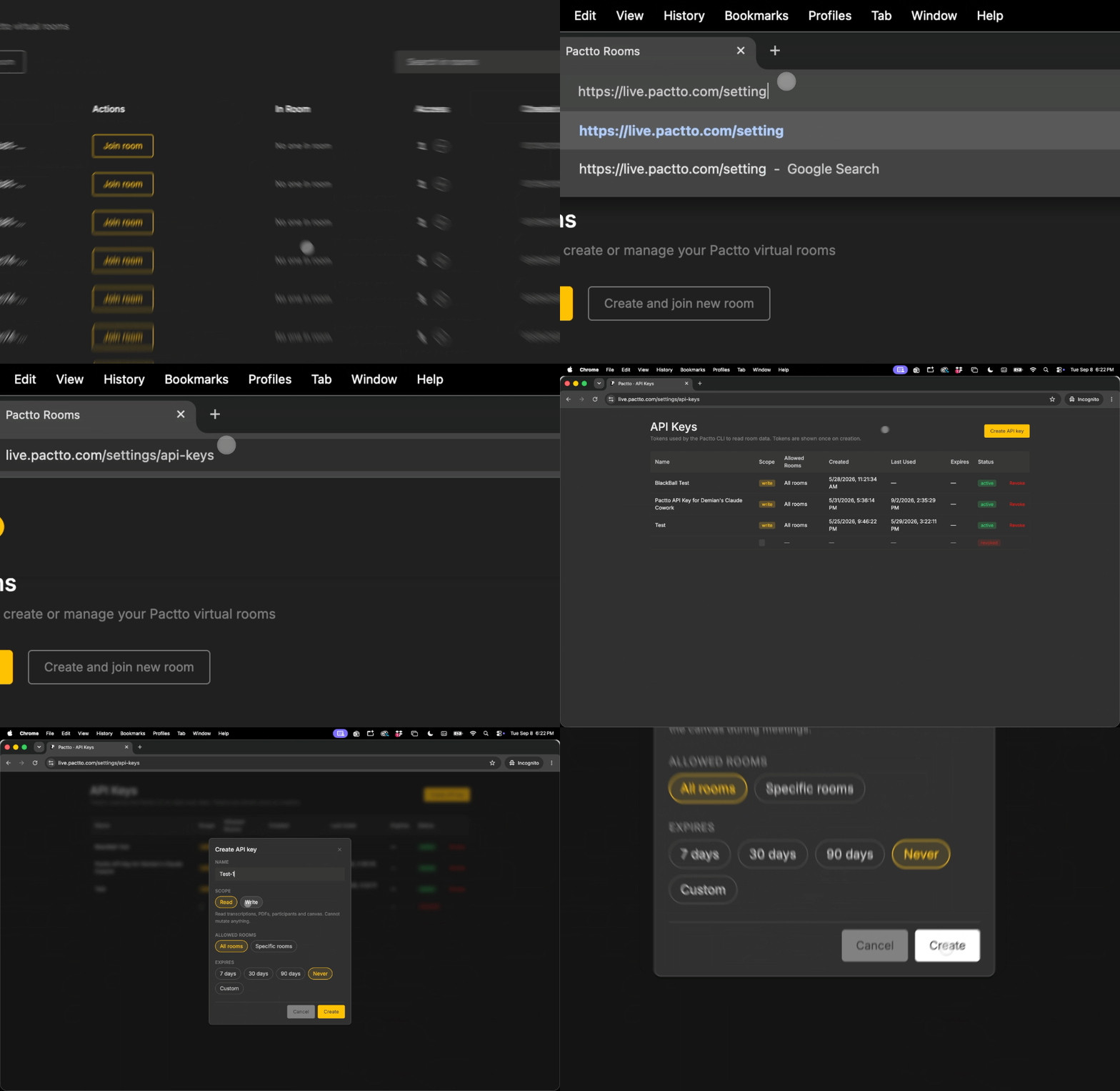
Install the CLI
The CLI runs on Node.js 20 or newer. If you don't have it yet, download it from nodejs.org and run the installer. Then one global install from npm makes the pactto command available in any terminal. Already installed? The same command updates you to the current release, 2.2.0.
$ npm install -g @pactto/cli@latestTeach your agent the CLI
The CLI ships a primer that explains every command, the JSON it returns, and the errors it can raise. Append it to the instructions file your agent reads, CLAUDE.md for Claude Code or AGENTS.md for Codex, and the agent knows how to drive the CLI before you ask it anything. Then pick a default room so you don't have to name it in every request.
$ pactto instructions >> CLAUDE.md$ pactto use <roomId>Start Claude Code in your terminal
The CLI does its best work when a coding agent is driving it. That can be Claude Code or Codex. This demo uses Claude Code, so you need it installed first: the Claude Code quickstart covers the install in a few minutes. Then open a terminal in your project folder and start it.
$ claudeOnce Claude Code is running, connect the CLI to your account with the API key you created in Step 2. You don't need to remember any commands for this: ask Claude Code to handle it and paste the key when it asks.
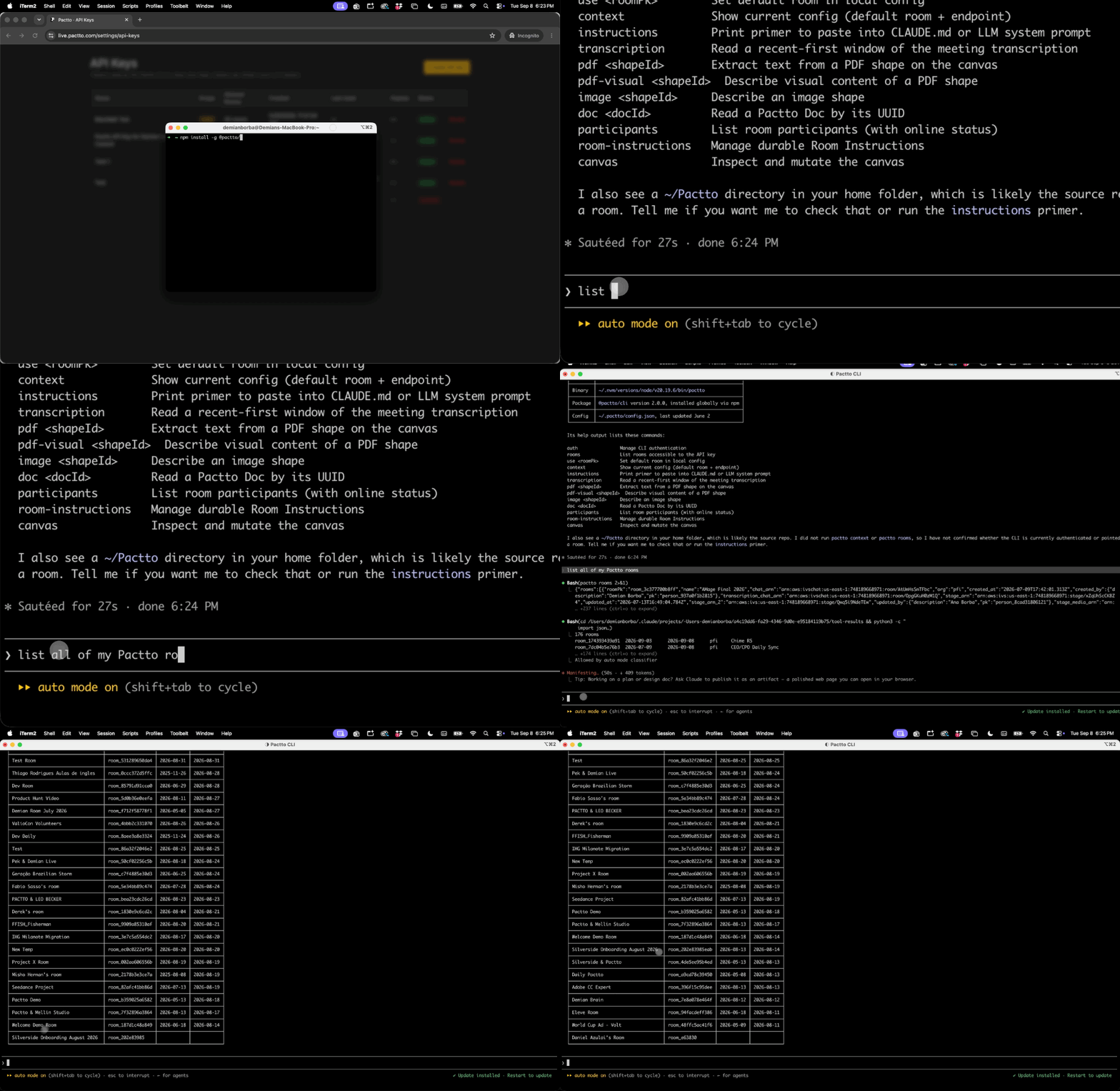
Help me set up Pactto CLI with my API keyWith the key in place, ask Claude Code to read from or write to a room. A good first request is to list your rooms, which is what the demo below does.
List all of my Pactto roomsThe CLI reads what a room already holds and writes new content back into it. The room doesn't have to be open and nobody has to be in it: as long as you have access, you can read and write from anywhere, at any time. The room stays the shared record, so anything you push from the terminal is waiting for the team in the browser, and anything they decided in a session is there for you to pull down.
Prompts that put the room to work
Most of what happens in a room you can ask for from the terminal: read the transcript, PDFs, and docs, then add, organize, and approve on the canvas. A few things stay in the app: creating rooms, inviting people, and editing the room's permanent instructions. Paste any of these into Claude Code and adjust the names to match your own rooms and files.
List the main topics discussed in room Brainstorming in the last 5 meetingsPull the text from every PDF on the canvas and list the deadlines you find.Take the meeting notes doc on the canvas and lay out each section as a sticky note on a new board called SummaryOne board, one batched request for every note. This used to take forty requests and now takes three.
Organize this room: group the images into one board, the videos into another, and the PDFs into a third, then align and space everything so it reads left to rightThe agent reads what is scattered, decides the grouping, and the room comes out tidy without anyone dragging a shape.
Write a Pactto Doc with today's action items for Demian and SherifEveryone in the room sees the doc appear without reloading.
Create a Tasks table with Task, Owner, and Status columns and add a row for each open item from the transcriptMark every video on the canvas as approvedAdd a comment at 0:42 on the hero cut saying the logo comes in too lateUpload video-final.mp4 and video-for-instagram.mp4 and cover-image-instagram.png to the room and group them in a board called Round 2Check Room A and Room B and explain the main reasons the customer said noScripts, CI, and the limits to know
Every command prints JSON, built to be filtered with jq, and a key in the environment works without logging in. Set the room the same way, since there is no default room outside a login. That makes the CLI a fit for CI jobs and plain shell scripts, not only for coding agents.
$ PACTTO_API_KEY=pact_prod_... PACTTO_ROOM=room_abc123 pactto canvas list --type pacttoVideo | jq -r ".shapes[].shapeId"Credits. Two commands spend Pactto credits, one credit each: pactto image and pactto pdf-visual, which describe an image or a scanned PDF with our model. Everything else is free. With no balance they return insufficient_credits and nothing is charged.
Rate limit. 120 requests a minute and 2,000 an hour per key. Past that you get rate_limited with a retryAfter in seconds, which is why the batched --file flags exist for notes and text.
Errors you may see. plan_limit_exceeded means the account is not on Pro. forbidden_scope means a read key tried to write. forbidden_room means the key is not allowed in that room. invalid_api_key means the key expired or was revoked.
Getting started, the setup commands
npm install -g @pactto/cliInstall or update. Needs Node 20 or newer.pactto auth loginPaste the key you created under Settings, API Keys, Create.pactto auth whoamiWho the key belongs to, its scope, and the rooms it can reach.pactto rooms --prettyThe rooms this key can see.pactto use room_abc123Default room for the commands that follow.pactto contextCurrent default room and the server in use.pactto instructions >> CLAUDE.mdThe primer that teaches your agent the CLI.pactto auth logoutRemove the key from this machine.
These are the setup commands. The CLI has about fifty in all, for reading, the canvas, Pactto Docs, tables, media, and comments. Run pactto --help for the list, or read the primer.
Put a room in your terminal.
Create an account and get an API key.
The CLI is included with Pro. See pricing